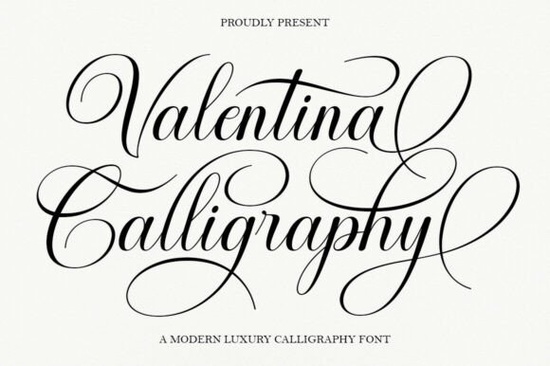
If you're looking for a script font that feels both timeless and fresh something elegant enough for wedding stationery but versatile enough for modern branding you’ll likely find what you need in Valentina Calligraphy Font. It’s not just another decorative script; it’s designed with real-world use in mind: smooth letter connections, clear readability at small sizes, and thoughtful stylistic alternates that work without needing advanced design software.
What makes Valentina Calligraphy different from other script fonts?
Many script fonts lean too far into either ornate tradition or trendy minimalism but Valentina sits comfortably in the middle. It draws from classic copperplate structure (think balanced spacing, graceful entry/exit strokes), yet its curves are subtly softened and its contrast is gentle not sharp or dramatic. That balance means it reads well on screen and in print, even at 12–14 pt. Unlike some highly stylized scripts, it doesn’t sacrifice legibility for flair.
The font includes multiple stylistic alternates for letters like “a”, “g”, “s”, and “y”, plus optional flourishes and swashes. Because it uses PUA encoding, you can access these extras directly through the Glyphs panel in apps like Adobe Illustrator or Affinity Designer or even via keyboard shortcuts in Canva (using the “Insert > Special Characters” method). No OpenType features required. That’s especially helpful if you’re designing on a budget or learning as you go.
Where does Valentina Calligraphy work best?
This font shines in contexts where tone matters as much as typography. Think of it as your go-to for projects that need quiet confidence not loud attention.
- Wedding stationery: Invitations, menus, and signage benefit from its refined rhythm and soft femininity.
- Small business branding: A local boutique, skincare line, or artisan bakery can use Valentina to signal care, quality, and personality without shouting.
- Print-on-demand products: It pairs beautifully with minimalist layouts on mugs, tote bags, or greeting cards especially when paired with a clean sans-serif for contrast.
- Digital use: Works reliably in email headers, social media banners, and Shopify store banners provided you embed it properly or convert to outlines for static images.
You’ll also notice how well it pairs with other thoughtful script fonts. For example, if you want something lighter and more delicate, Daintyline Font offers fine hairlines and airy spacing. Or if your project leans playful but still polished, Lasso Lore Font brings subtle bounce and warmth. For contrast, try pairing Valentina with a structured sans like Montserrat or Inter something neutral that lets the script breathe.
How easy is it to use for beginners?
Very. The font files include .OTF and .TTF versions, so it installs and works across Windows, macOS, and most design platforms. Since all alternates and flourishes are mapped to standard Unicode positions (via PUA), you don’t need to hunt through layers of OpenType panels. Just type, then swap characters using your app’s glyph browser or copy-paste from the included PDF guide (which shows every alternate clearly).
One practical tip: avoid overusing flourishes. A single swash on the first letter of a headline adds elegance; adding them to every word can distract. Try setting full lines in the base style first, then hand-selecting one or two letters to enhance.
What about licensing and compatibility?
The license covers personal and commercial use including POD platforms like Redbubble, Etsy, and Printful as long as you’re embedding the font into static designs (not selling the font file itself). You can use it in client work, too, as long as the final deliverable isn’t the font file. Always double-check the specific license terms on the product page, since Creative Fabrica occasionally updates usage rights.
If you're comparing options, Amellia Font offers bolder contrast and more pronounced terminals, while Cute Dog Font leans whimsical and friendly great for pet-related brands or kids’ products. But for understated luxury? Valentina stays quietly confident.
Before downloading, ask yourself: Does this match the voice of my brand or project? Will it hold up across formats (print, web, embroidery)? Does it pair easily with fonts I already own? If yes to all three, it’s worth trying.
Quick checklist before you use Valentina Calligraphy:
- Install the font and test it in your main design tool
- Open the included PDF guide to see which alternates map to which keys
- Try a short phrase in both base and alternate styles to compare rhythm and flow
- Pair it with a neutral sans-serif and preview at actual size (e.g., on a mockup of a business card)
- Save a version with outlines if sending to a printer or client who doesn’t have the font installed
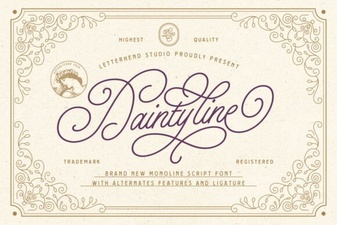 Daintyline Font: Elegant & Versatile Design Tool
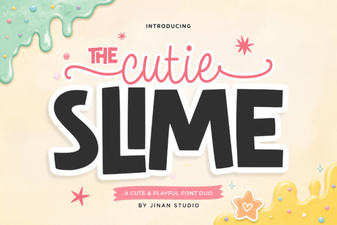 Cutie Slime Duo Font: Playful & Versatile Design
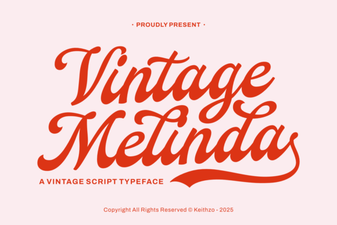 Vintage Melinda Font: Timeless Design Inspiration
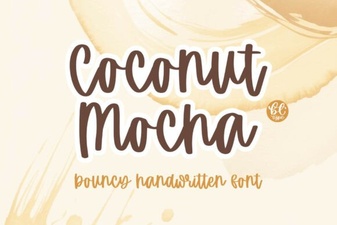 Coconut Mocha Font: a Bold, Tropical-Inspired Typeface
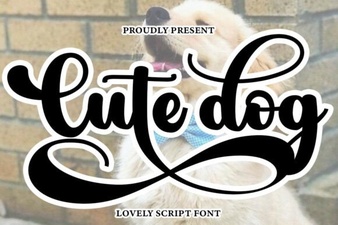 Cute Dog Font: Playful Typography for Design Projects
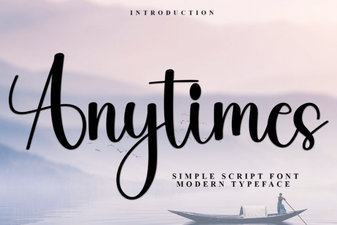 Anytimes Font: Creative & Versatile Design Tool